Calibrating colors across different digital printing machines is crucial for achieving high-quality prints. Many professionals face challenges in maintaining color consistency. The variation in technologies and print mediums can lead to discrepancies. Understanding how to calibrate colors across different digital printing machines is essential to overcoming these issues.
In the realm of digital printing, colors can appear differently from one machine to another. Factors such as ink type, print resolution, and paper quality play significant roles. A systematic approach to calibration improves reliability. However, the process is often overlooked, resulting in unsatisfactory results.
Some may underestimate the importance of this task. Others might rely on default settings or guesswork. This can lead to frustration and wasted materials. By following these ten best tips, you can enhance your printing outcomes and ensure more accurate color reproduction. Embracing this methodology fosters better quality control and reduces the risk of errors.
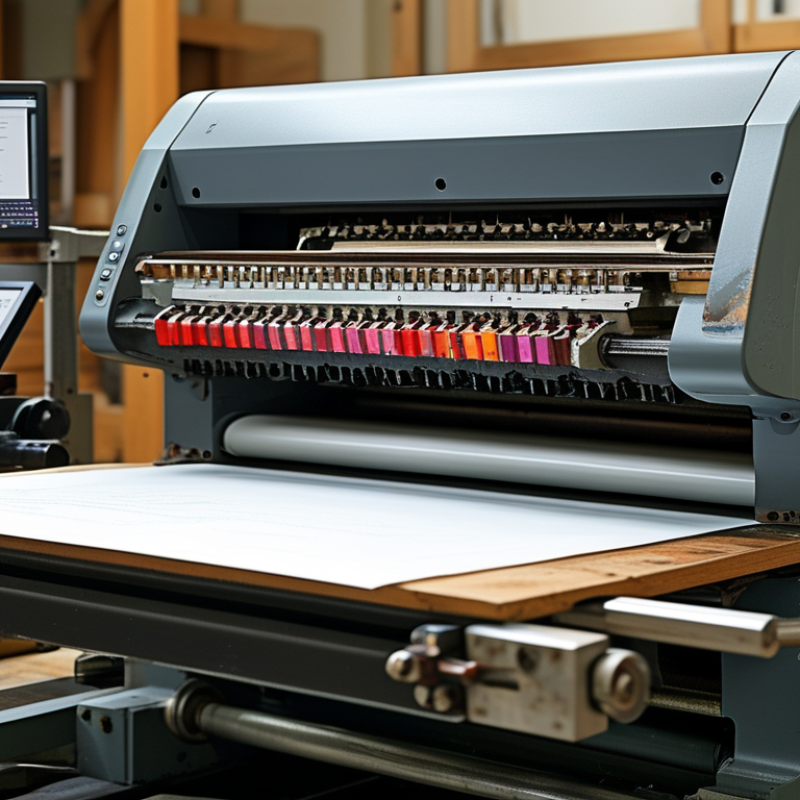
Color calibration in digital printing machines is essential for achieving accurate and vibrant prints. To begin with, understanding color models like RGB and CMYK is crucial. Each model represents colors differently, and many printers primarily use CMYK for final output. This difference often leads to discrepancies in color representation if not calibrated properly.
Tip: Regularly update the color profiles on your printer. Profiles determine how colors appear on paper, and outdated profiles can lead to unexpected results.
Another significant aspect is the ambient lighting. The environment in which you print can affect color perception. Ideally, you should evaluate printed samples under consistent lighting conditions.
Tip: Utilize spectrophotometers for precise measurements. These devices help in ensuring color consistency across different prints and substrates.
Color calibration can sometimes be frustrating. Colors may not always match expectations. Regularly test prints and make incremental adjustments until you find the right balance. A methodical approach to calibration can greatly enhance print quality over time.
Color accuracy is crucial in digital printing. The right color profiles ensure that the final print matches the designer's vision. According to industry reports, nearly 80% of print service providers struggle with color consistency. This inconsistency often leads to wasted materials and increased costs. When color profiles are mismanaged, the result can be an unrecognizable print. This highlights the importance of calibrating devices correctly.
The use of color profiles allows digital printers to reproduce a wide spectrum of colors accurately. For instance, the International Color Consortium (ICC) standardizes profiles, enabling printers to unify color management processes. Lack of adherence to these standards can result in poor color impressions. Many printers find that achieving the right shade often requires multiple test prints. This trial-and-error approach can be frustrating and time-consuming.
It's vital to regularly update color profiles as technology evolves. Various reports indicate that around 65% of digital printing problems are tied to outdated profiles. Relying on obsolete settings can lead to misinterpretation of color data. This creates a gap between expected and actual outcomes. Continuous education on color management is necessary for professionals in this field to minimize errors and improve reliability.
Calibrating your printer is essential for achieving the best color accuracy in digital printing. This process involves adjusting your printer settings to match your desired output. Begin by understanding the color profiles and how they impact your printer. Each printer has its own characteristics, which means profiles need to be tailored for optimal results.
One effective tip is to use a color calibration tool. This tool measures how your printer reproduces colors. It gives a precise reading of the output versus the expected results. Inspect your prints regularly, as colors can shift over time. Environmental factors like humidity can affect color reproduction.
Make sure to update your software and drivers frequently. Outdated software can lead to inconsistencies in color output. If you notice persistent issues, consult your manual or look for professional guidance. Be aware, troubleshooting can be frustrating. It might take several attempts to achieve perfect balance. Each adjustment provides learning opportunities, helping you refine your process over time.
Calibrating colors for digital printing is essential for achieving accurate and consistent results. Several tools and software can assist in this process, contributing to better quality and efficiency. Color calibration software, such as Adobe Photoshop and Capture One, allows users to fine-tune their color profiles. Calibration hardware, including spectrophotometers, can read color values precisely. According to a recent study, 45% of printing professionals reported improved output quality after adopting proper calibration tools.
Regularly checking color consistency is crucial. One effective tip is to create a color reference gallery that displays various prints. This gallery helps identify discrepancies between expected and actual colors. Printing professionals should also perform routine maintenance on their devices. Neglecting maintenance can lead to color drift, affecting overall print integrity.
Using a standard color matching system, like Pantone, can improve accuracy. Regularly updating color profiles ensures continued reliability. However, relying solely on automated systems may miss subtle changes. Experts suggest manual checks complement machine-based calibration. Balancing both methods can lead to better color representation.
Color calibration can be tricky. Even small mistakes can lead to significant discrepancies in prints. One common issue is the difference between screen and print colors. Monitors emit light, while printers rely on inks. This fundamental difference can cause confusion. To address this, use a color calibration tool. A spectrophotometer can measure color output accurately. It will help ensure your prints match your expectations.
Another frequent problem is inconsistent ink performance. Over time, inks can change due to drying or clogs in the printhead. Regular maintenance is essential. Clean the printhead and replace old cartridges. Test prints are also crucial. They allow you to evaluate color accuracy before running full jobs. Look for unexpected hues or faded areas. Adjusting the color profiles may also help resolve issues. It's a balance of science and art.
Lastly, lighting plays a role in color perception. Viewing prints under fluorescent lights can distort colors. Natural light is best for assessment. Consider the environment where prints will be viewed. Adjust your process accordingly. Calibration is an ongoing task, not a one-time fix. Recognizing these problem areas can lead to better color outcomes.
: Color calibration ensures accurate and vibrant prints, aligning final output with design intent.
Familiarize yourself with RGB and CMYK. Most printers use CMYK for final output.
Regular updates are essential. Outdated profiles can cause unexpected color results.
Printing in consistent lighting conditions helps evaluate color accuracy in prints.
Spectrophotometers provide accurate measurements for color consistency across prints.
Achieving desired colors can lead to frustration and requires trial-and-error adjustments.
Mismanagement can cause notable color inconsistencies, resulting in unrecognizable prints.
Approximately 65% of digital printing issues stem from using outdated color profiles.
Continuous education on color management processes is vital for minimizing errors.
Yes, it can be challenging. Incremental adjustments are often needed, which takes time.
Color calibration plays a crucial role in digital printing, ensuring that the colors printed match the intended designs accurately. Understanding color calibration in digital printing machines involves recognizing the significance of color profiles, which serve as guides for how colors should be reproduced. To calibrate colors across different digital printing machines effectively, follow a systematic step-by-step guide that includes setting up your printer, selecting the appropriate color profiles, and utilizing standard color references.
Common tools and software for color calibration can greatly facilitate the process, helping to maintain consistency across various printing outputs. However, users may encounter issues like color discrepancies or misalignments. Troubleshooting these common problems requires a careful review of calibration settings and adjustments to ensure that the printed materials meet the desired quality standards. Overall, mastering how to calibrate colors across different digital printing machines is essential for achieving professional and accurate printing results.

DD-Tech Print