In the world of printing technology, businesses often face decisions about equipment. Choosing the right printer can significantly affect output quality and operational efficiency. Many might wonder, "Why should I use a scanning printer instead of a fixed array?" This question is vital in achieving optimal results. Scanning printers utilize a dynamic approach, capturing images or text line by line. This method can enhance the quality of printed materials. It allows for finer details and smoother gradients, which are crucial in industries requiring precision.
Fixed array printers, while efficient, have limitations in versatility. They produce prints in a more static manner, which can lead to inconsistencies in high-demand situations. Depending on your specific needs, a scanning printer may better adapt to varying print jobs. Additionally, maintenance and repairs often prove simpler with scanning technology. Though scanning printers might require initial adjustments, their benefits in quality and adaptability become evident over time. As you evaluate your printing requirements, consider the many factors that highlight why a scanning printer could be the ideal solution.
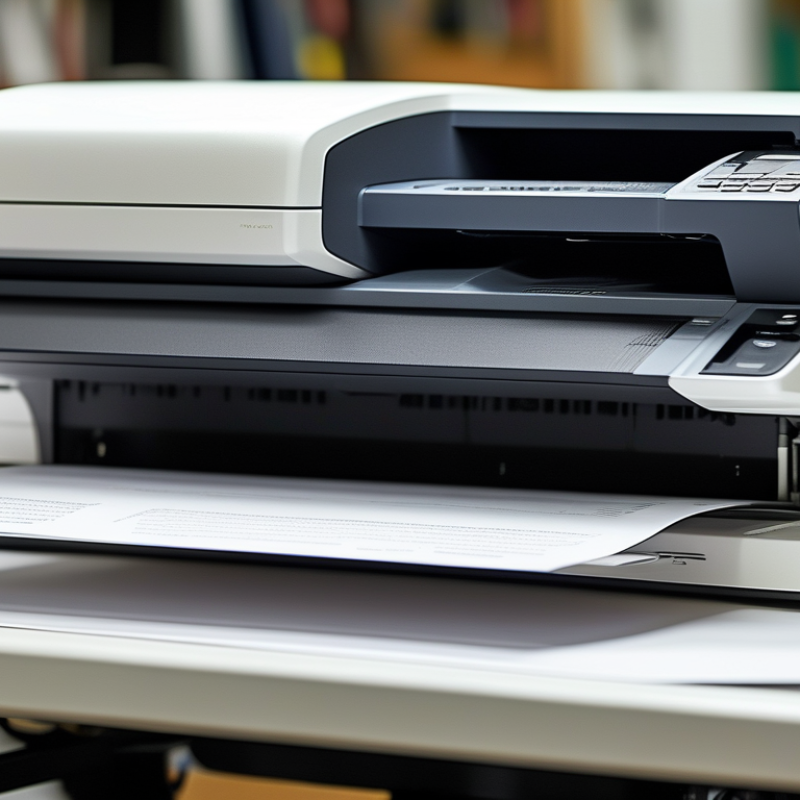
Advantages of Scanning Printers in Quality Printing
Scanning printers have become increasingly popular for high-quality printing, and for good reason. They use a moving print head, allowing for more precision. This movement creates sharper images and clearer text. In contrast, fixed array printers may struggle with intricate designs. Fine details often get blurred or lost. With scanning printers, users can enjoy vibrant colors and crisp lines.
Another advantage of scanning printers is their flexibility. They can handle a wide range of media types. Whether printing on glossy photo paper or textured cardstock, scanning printers adapt easily. This versatility can be beneficial for businesses that require diverse printing solutions. However, some users may find setup and calibration time-consuming. It's essential to invest time in understanding the printer settings for optimal results.
Though scanning printers offer superior quality, they do have drawbacks. They can be slower than fixed array printers, particularly for large jobs. Users may need to wait longer for their prints. Additionally, the cost of maintenance can be higher due to moving parts. This aspect may lead some to question if it's worth it. Each user must weigh these factors according to their specific needs.
Technical Aspects of Scanning vs. Fixed Array Printers
In the debate between scanning printers and fixed array printers, technical aspects play a significant role. Scanning printers, known for their versatility, utilize a moving print head that allows for high-resolution printing on various media. This technology enables excellent color reproduction. According to a recent industry report, scanning printers maintain up to 1200 DPI resolution, ideal for detailed designs.
On the other hand, fixed array printers use stationary print heads with multiple nozzles. While they can deliver speed, they sometimes struggle with quality consistency. Studies show that these printers may produce up to 10% less accurate colors compared to scanning models. This variance can affect prints, particularly in professional settings where precision is key.
Furthermore, scanning technology allows for real-time adjustments. This helps maintain quality throughout the printing process. However, scanning printers may require more maintenance due to their moving parts. It’s essential to weigh the benefits of flexibility and quality against potential downtime for maintenance. Balancing these factors can lead to better decision-making for both businesses and personal use.
Impact of Print Resolution on Overall Print Quality
Print resolution plays a crucial role in the quality of printed images.
Higher resolution typically means more detail, resulting in sharp and vibrant prints.
When choosing between a scanning printer and a fixed array, this aspect is vital.
Scanning printers often excel at high resolutions, capturing intricate details lost in lower-quality prints.
A scanning printer uses a moving print head that adjusts to different resolutions.
It can produce finer details in gradients and textures, which is significant for professional printing.
Fixed arrays often operate at set resolutions, limiting their flexibility.
While they may be efficient, they might not create the same richness in color and depth.
However, one must consider the potential downsides.
High-resolution printing can lead to longer print times and increased ink usage.
Some users may find the cost of maintenance for high-resolution printers overwhelming.
Balancing quality with efficiency is essential.
The choice ultimately depends on the specific printing needs and the expected quality of the final product.
It’s crucial to weigh the benefits against the practicality of operation.
Flexibility and Versatility of Scanning Printers
Scanning printers offer significant flexibility and versatility, making them a preferable choice in quality printing. Unlike fixed array printers, scanning printers can handle various media sizes and types. This adaptability is crucial for businesses that need to print customized materials, from marketing brochures to large format banners. The ability to switch between media without the hassle of reconfiguration saves time and enhances productivity.
For users new to scanning printers, here are a few tips. First, ensure that your printer’s settings match the media type. This small adjustment can dramatically improve print quality. Second, test different settings for color saturation. Overdoing colors might lead to distorted images. It's okay to experiment and refine your techniques until you find the best combination for your needs.
Moreover, scanning printers often come with software that automates print tasks. This feature may seem overwhelming at first, but it can greatly reduce manual labor compared to fixed array models. Take time to explore these digital tools. Although they may require learning, they can streamline the printing process and yield exceptional results. Don't hesitate to revisit previous settings if your initial choices don't meet expectations.
Why Choose a Scanning Printer Over a Fixed Array for Quality Printing? - Flexibility and Versatility of Scanning Printers
| Feature |
Scanning Printer |
Fixed Array Printer |
| Print Quality |
High resolution with greater accuracy |
Varied quality; may struggle with fine details |
| Speed |
Faster for large formats and continuous prints |
Slower for larger projects |
| Flexibility |
Can print on various media types |
Limited to specific types of media |
| Setup and Operation |
User-friendly with advanced features |
Can be complex to set up |
| Cost Efficiency |
Higher initial investment but lower long-term costs |
Lower upfront cost but higher resource consumption |
| Maintenance |
Generally requires less maintenance |
More frequent maintenance needed |
Cost-Effectiveness in Long-Term Quality Printing Solutions
When considering long-term quality printing, cost-effectiveness often becomes a deciding factor. A scanning printer offers unique financial advantages over fixed-array models. With fewer mechanical parts, scanning printers generally require lower maintenance costs. This makes them a more economical choice over time.
Investing in a scanning printer can lead to significant savings. For instance, while initial costs might be comparable, scanning printers provide more flexibility. They can adapt to various paper types and sizes. This capability means less waste and more efficient use of materials. However, understanding the true costs involves considering long-term usage patterns.
It’s essential to weigh potential drawbacks as well. Scanning printers may have slower print speeds compared to fixed-array systems. This could affect productivity, especially in high-demand environments. Buyers should reflect on their specific needs. Balancing the trade-offs is crucial for making an informed decision. Ultimately, assessing quality alongside cost will lead to a more sustainable printing solution.
Why Choose a Scanning Printer Over a Fixed Array for Quality Printing?
FAQS
: Scanning printers use a moving print head for sharper images and clearer text.
Yes, they adapt easily to various media, enhancing flexibility for different printing tasks.
No, they can be slower, especially for larger jobs, requiring longer wait times for prints.
They can maintain up to 1200 DPI resolution, ideal for detailed designs and excellent color reproduction.
They may require more maintenance due to moving parts, leading to potential downtime.
Ensure printer settings match the media type and test different color saturation levels for best results.
Yes, they often include software that automates tasks, reducing manual effort but may seem complex initially.
Yes, understanding settings can significantly enhance print quality and overall printing efficiency.
Maintenance costs can be higher due to their moving parts, which users need to consider.
Yes, scanning technology allows for real-time adjustments to maintain quality throughout printing.
Conclusion
When considering the question, "Why should I use a scanning printer instead of a fixed array?", it’s essential to examine the advantages that scanning printers offer in terms of quality printing. Scanning printers utilize a moving print head, which allows for higher precision and adaptability in achieving superior print resolutions. This flexibility not only enhances overall print quality but also accommodates various media types, making them an ideal choice for diverse printing needs.
Moreover, the technical aspects of scanning technology often lead to better control over color management and detail reproduction, significantly impacting the final output. In addition to quality, cost-effectiveness plays a vital role, as scanning printers can provide long-term savings through reduced ink usage and maintenance costs. Ultimately, the combined benefits of print resolution, versatility, and economic efficiency make scanning printers a preferred option for quality-conscious users.

 DD-Tech Print