Industrial inkjet printheads are precision components, not disposable accessories. Their service life depends on ink chemistry, firing frequency, temperature, humidity, print speed, and maintenance quality. What is the lifespan of an industrial inkjet printhead? There is no universal number. A well-maintained head may operate for several years, while abrasive pigments, dried ink, or unstable production conditions can shorten its useful life dramatically.
Industry evidence supports this variable view. Smithers’ report, The Future of Inkjet Printing to 2028, identifies continued investment in industrial digital printing and greater demand for reliable, high-throughput systems. The drupa Global Trends 2024 report also highlights productivity pressure, skilled labor shortages, and the need for dependable equipment. These pressures make printhead preservation a business issue, not merely a maintenance task. Every blocked nozzle can create banding, color shifts, rejected products, and avoidable downtime.
Small details matter. A printhead left idle overnight may develop a thin, stubborn film around its nozzle plate. A poorly filtered ink line can introduce particles that damage microscopic channels. Regular nozzle checks, controlled storage conditions, correct flushing procedures, and verified ink compatibility remain practical safeguards. However, maintenance schedules are not universally transferable. A routine that works for water-based ink may fail with solvent or UV-curable formulations. That assumption deserves testing.
This 2026 guide examines measurable warning signs, maintenance intervals, ink-related risks, and replacement decisions. It combines manufacturer guidance, production experience, and industry research. The goal is realistic: extend working life without sacrificing print quality, safety, or operational reliability.
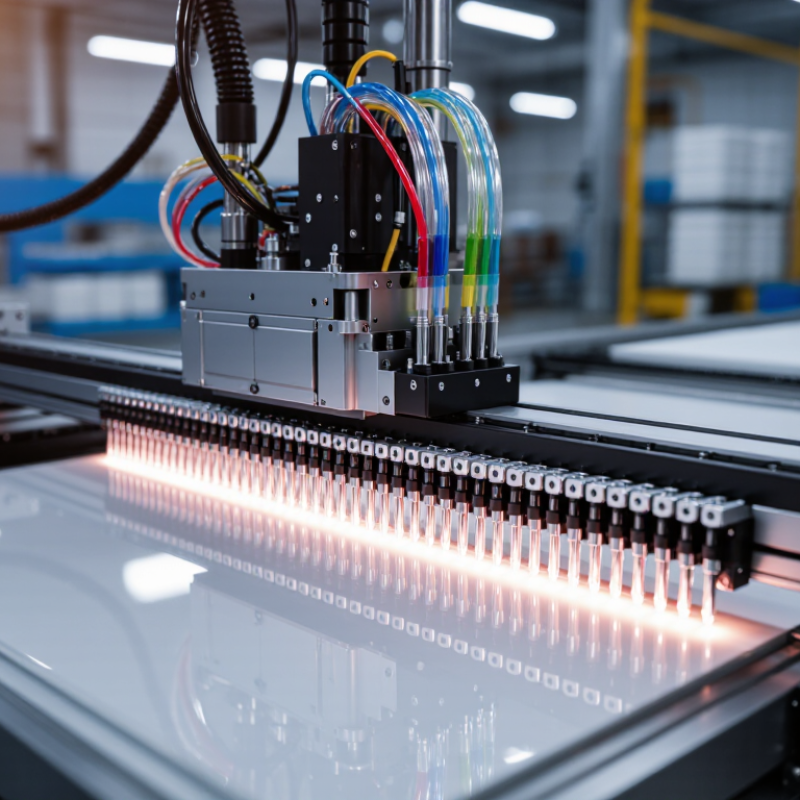
How to Extend Industrial Inkjet Printhead Lifespan in 2026
Printhead lifespan is the period a printhead can produce acceptable output under defined operating conditions. It is not a fixed number of hours. A head may still fire, yet create banding, missing nozzles, or uneven drops that make production unreliable. Lifespan matters because print quality affects waste, downtime, and replacement costs. Compare performance over time, not just the calendar age of the component. Keep realistic expectations; ink type and operating conditions can change the outcome.
Wear often starts with dried ink around nozzle openings. Fine particles, incompatible fluids, and poor capping can also contribute to blockages. Repeated pressure changes and temperature cycles may stress internal components. Contact during wiping can wear or damage the nozzle plate. Even routine cleaning can be too aggressive. There is no universal wear rate, so record cleaning frequency, print defects, operating hours, and fluid conditions. The log may reveal a pattern, though it will not explain every failure.
Tips: Follow the printhead maker’s maintenance instructions and use compatible fluids. Cap idle heads promptly. Inspect nozzle checks under consistent lighting, and note small changes before they become production problems. Avoid increasing cleaning cycles without evidence; excess intervention can cause wear. A clean-looking head is not always a healthy one.
| Dimension | What It Means | Key Wear Factors | Practical Ways to Extend Service Life | Useful Monitoring Indicators |
|---|---|---|---|---|
| Printhead lifespan | The period a printhead remains capable of meeting the required print-quality and production standards. It may be measured in operating hours, printed area, firing activity, or calendar time. | There is no single lifespan figure that applies to every head. Ink chemistry, operating conditions, maintenance, print duty, and the required quality threshold all affect service life. | Set a consistent replacement criterion based on print quality and process requirements. Record operating and maintenance history so changes in performance can be identified. | Print defects, nozzle performance, cleaning frequency, downtime, and production output before replacement. |
| Ink compatibility and contamination | The ink must be suitable for the printhead materials and its specified operating conditions. Contamination can obstruct small fluid channels or nozzles. | Unsuitable ink, mixed fluids, particles, dried residue, or poorly maintained ink-handling components can contribute to blockage or material degradation. | Use ink approved for the specific head and system. Follow the prescribed filtration, storage, handling, and flushing procedures; keep fluid connections clean. | Visible sediment or discoloration, filter condition, recurring nozzle loss, and changes in ink flow. |
| Drying and idle time | Ink at or near the nozzle plate can dry when a head is idle, depending on ink type and environmental conditions. | Long unprotected idle periods, excessive airflow, heat, and residue on the nozzle plate may increase the risk of difficult-to-clear nozzle blockage. | Use the equipment’s recommended capping and shutdown procedures. Keep the nozzle area clean and avoid leaving the head exposed longer than necessary. | Time uncapped, nozzle-check results after idle periods, and the number of recovery-cleaning cycles required. |
| Cleaning and wiping | Cleaning removes ink residue and helps restore nozzle performance, but the method must suit the head design and ink system. | Excessive cleaning, incorrect solvents, abrasive materials, or unsuitable wiping techniques can damage the nozzle plate or other head components. | Follow the manufacturer’s cleaning procedure and use compatible materials. Apply only the recommended cleaning frequency and avoid touching the nozzle surface unnecessarily. | Cleaning cycles per shift, recovery success rate, and any visible nozzle-plate damage. |
| Temperature and humidity | Environmental conditions can affect ink behavior, evaporation, and the stability of print operation. | Conditions outside the specified operating range may contribute to viscosity changes, faster drying, or inconsistent jetting. The acceptable range varies by head and ink. | Operate within the system’s specified environmental limits. Avoid rapid temperature changes and keep the print area free from unnecessary heat sources and drafts. | Ambient temperature and humidity logs, ink temperature where specified, and changes in print consistency. |
| Fluid pressure and circulation | Stable fluid delivery helps maintain consistent ink flow through the printhead and its supply system. | Incorrect pressure, air in the fluid path, leaks, or inconsistent circulation can cause unstable jetting or interruptions. Required settings are system-specific. | Verify pressure and circulation against equipment specifications. Inspect tubing and connections, and use the approved procedure to remove air from the fluid path. | Pressure readings, leak checks, air alerts, and repeatable changes in print output. |
| Mechanical alignment and vibration | Correct mounting and stable movement help maintain the intended distance and alignment between the head and substrate. | Impact, excessive vibration, loose mounting, or contact with the substrate can damage the head or affect print quality. | Secure the head according to the installation procedure. Maintain the specified print gap, protect the head during setup, and investigate recurring mechanical vibration. | Mounting stability, print-gap checks, impact events, and alignment-related print defects. |
| Electrical and firing conditions | The drive electronics and firing settings must match the printhead’s specifications to produce controlled droplet ejection. | Incorrect drive settings, electrical faults, or unstable connections can lead to unreliable operation and may damage components. | Use validated settings and qualified service procedures. Check connectors and cables with the equipment powered down as required by safety instructions. | Drive fault alerts, intermittent firing, connector condition, and changes following settings or maintenance work. |
| Preventive maintenance and records | Routine inspection and accurate records help identify gradual deterioration before it causes extended downtime. | Missed maintenance, undocumented ink changes, and inconsistent troubleshooting can allow small issues to recur or worsen. | Use a maintenance checklist, document cleaning and ink changes, and trend nozzle checks and print-quality results over time. | Maintenance completion, defect trends, unscheduled downtime, and printhead replacement history. |
Note: Operating limits and maintenance procedures vary by printhead, ink, and printing system. Always follow the applicable equipment specifications and safety instructions.
Ink must suit the nozzle plate, seals, and internal fluid path. Check viscosity at operating temperature. Tiny debris can block nozzles.
Confirm compatibility, viscosity limits, particle size, and filtration requirements. Room-temperature readings may not tell the whole story.
Keep ink temperature and supply pressure stable. Limit abrupt start-stop cycles. Dust and vibration matter, too.
Yes. Follow the specified cleaning and capping steps. Avoid scraping the nozzle surface or using overly aggressive methods.
Look for faint horizontal bands, missing nozzles, or uneven edges. Compare a nozzle check with a dated sample. Small clues matter.
Base them on workload, ink type, dust, heat, and idle periods. Record print hours and cleaning cycles. A log will not explain everything.
Inspect filters, dampers, cables, electrical contacts, and the ink path. Persistent misfires after specified cleaning may justify replacement. One failed test is not enough.
Track pressure, temperature, nozzle checks, recurring faults, and cleaning frequency. More cleaning can signal trouble, even when prints still look acceptable. I would retest, too.
Extending the life of an industrial inkjet printhead starts with understanding what lifespan means: the period a head can deliver reliable print quality before wear or damage makes repair or replacement necessary. What is the lifespan of an industrial inkjet printhead depends on factors such as ink compatibility, operating conditions, print volume, maintenance, and exposure to contamination. Choosing suitable ink and matching the printhead to the application can help reduce clogging, abrasion, and other avoidable wear.
A consistent care plan is equally important. Clean and inspect the printhead daily, follow appropriate procedures for handling ink, and keep temperature, humidity, and ink-system conditions stable. Watch for changes in print quality, flow, or nozzle performance, and record findings to identify gradual deterioration. Use those observations to schedule maintenance before problems disrupt production, and replace worn components when cleaning or servicing no longer restores dependable performance.

 DD-Tech Print