Digital printers play a crucial role in today’s fast-paced environments. However, they face significant risks from dust and humidity. These factors can lead to malfunctions and costly repairs. Understanding how to protect digital printers from dust and humidity is essential for maintaining equipment longevity and operational efficiency.
Dust can accumulate within printers, affecting print quality and performance. Humidity can warp internal components and damage sensitive electronics. Printer downtime can disrupt workflow and increase operational costs. Therefore, it's vital to implement effective protection strategies.
Using protective covers and controlling environmental conditions are key steps. Regular maintenance checks also ensure optimal performance. While the risks are evident, many users overlook the importance of these preventative measures. A proactive approach can greatly enhance the lifespan of your printer while ensuring consistent output quality.
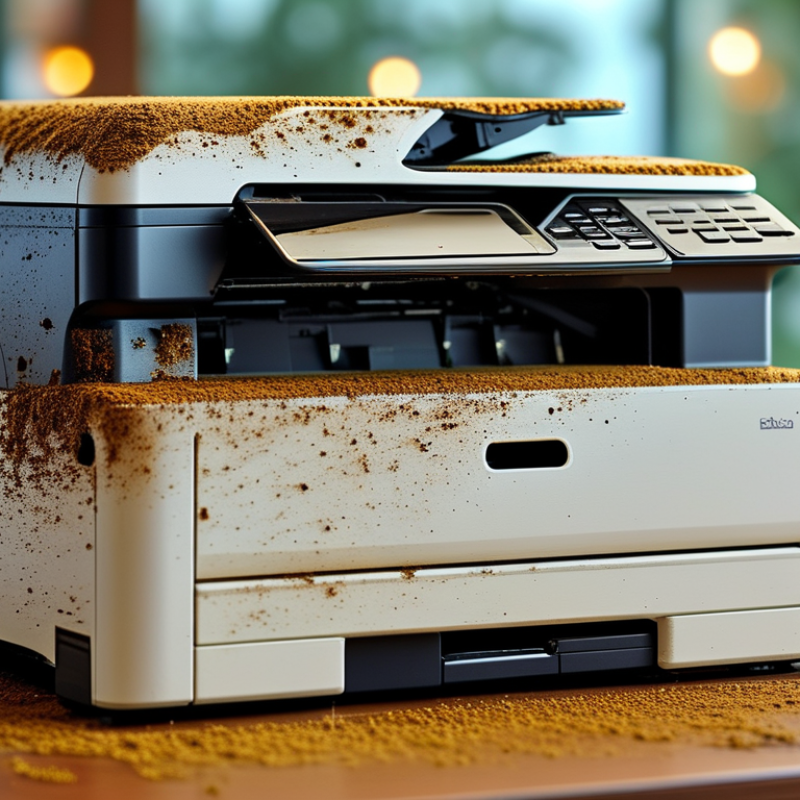
Understanding the Risks of Dust and Humidity to Digital Printers
Digital printers are vital in many businesses, but they face significant risks from dust and humidity.
Dust can settle on internal components, leading to overheating and malfunctions.
Similarly, high humidity can cause moisture accumulation, resulting in paper jams or print quality issues.
Understanding these risks is crucial for maintaining optimal printer performance.
To mitigate dust exposure, keep the printer area clean. Regularly dust the printer's exterior and surrounding environment.
Use air purifiers to reduce airborne particles. This proactive approach can significantly extend the life of your printer.
Humidity control is equally important.
Ideally, maintain a relative humidity level of 40-60%. Consider using dehumidifiers in damp spaces.
Placing printers away from windows or areas prone to temperature fluctuations can also help.
Keeping the printer covered when not in use can protect it from sudden humidity changes.
Assessing your printer's environment regularly can help you identify potential problems.
A small investment in preventive measures now can save you from expensive repairs later.
The goal is to create an optimal space that maximizes printer longevity and functionality.
Importance of Maintaining a Clean Environment for Printers
Maintaining a clean environment for digital printers is crucial for optimal performance. Dust and humidity can lead to malfunctions, affecting print quality and durability. Studies show that up to 30% of all printer issues stem from environmental factors. Cleanliness enhances the lifespan of printers, reducing maintenance costs.
Humidity levels above 60% can cause ink to clump, resulting in uneven prints. In contrast, low humidity can damage sensitive components. Experts recommend keeping humidity within the 40%-50% range. Regular cleaning of the printer's internal and external surfaces is vital. Neglecting dust accumulation can lead to overheating and operational failures.
Addressing these issues often requires ongoing assessment of the printing environment. Businesses sometimes overlook the importance of climate control. An effective air filtration system can significantly reduce dust levels. However, many offices still struggle with maintaining ideal conditions, often leading to costly repairs. Regular monitoring and proactive measures are critical for preserving printer health.
Effective Dust Prevention Techniques for Printer Protection
Dust and humidity pose significant risks to digital printers, impacting both performance and longevity. Effective preventive techniques are essential. Recent studies highlight that around 70% of printer malfunctions are related to environmental factors. Dust accumulation can obstruct internal components, while high humidity levels lead to paper jams and ink problems.
One effective strategy is using dedicated printer enclosures. These protective cases shield printers from airborne particles and moisture. Research indicates that enclosures can reduce dust exposure by up to 90%. Additionally, maintaining a consistent indoor humidity level between 40% and 60% can drastically improve printer functionality. Regular maintenance, such as scheduled cleaning and using air purifiers, further enhances printer resilience against environmental threats.
While many facilities implement these techniques, gaps often exist. For example, some organizations underestimate the importance of regular checks and monitoring. A lack of awareness about dust and humidity's cumulative effects leads to costly repairs and downtime. Taking proactive measures can save resources and extend the life of your digital printer while ensuring printing quality remains high.
Humidity Control Methods to Safeguard Digital Printers
Maintaining the optimal humidity level is vital for digital printers. Excessive moisture can cause paper jams and damage internal components. A good range is between 30% and 50% relative humidity. This range helps in preventing issues like smudging and ink bleeding, which can ruin print quality.
Investing in a dehumidifier is a practical step. This device effectively reduces excess moisture in the air. Additionally, using silica gel packets around the printer can help absorb humidity. Regularly check the humidity levels using a hygrometer, which ensures that the environment remains controlled.
Air circulation is another crucial factor. Avoid placing printers in confined spaces. Proper airflow helps maintain a stable atmosphere, reducing dampness risks. Consider sealing ventilation gaps, which can let in dust. However, over-sealing can create a stuffy environment, leading to other concerns. Finding the right balance is essential for long-term printer health.
How to protect digital printers from dust and humidity risks? - Humidity Control Methods to Safeguard Digital Printers
| Control Method |
Description |
Effectiveness (%) |
Maintenance Frequency |
| Dehumidifiers |
Devices that remove moisture from the air. |
90% |
Monthly |
| Air Purifiers |
Filters out dust and allergens to improve air quality. |
85% |
Quarterly |
| Dust Covers |
Protective covers that keep dust from settling on printers. |
70% |
As needed |
| Climate Control |
Maintaining a stable temperature and humidity in the printing area. |
95% |
Weekly |
| Regular Cleaning |
Periodic cleaning to remove dust buildup inside and outside the printer. |
80% |
Bi-monthly |
Routine Maintenance Practices to Enhance Printer Longevity
To extend the lifespan of digital printers, regular maintenance is essential. Dust and humidity can severely impact their performance. Therefore, creating a routine maintenance schedule can be a game-changer.
Start by regularly cleaning the exterior and interior of the printer. Dust accumulation can lead to mechanical issues and poor print quality. Use a soft, dry cloth for the outer surfaces. For the inside, a can of compressed air is effective. However, be gentle; too much pressure can dislodge small components.
Humidity can also be an unseen enemy. High moisture levels may cause paper jams and affect ink quality. Consider using a dehumidifier in your printing area. Keeping the environment stable can greatly improve print reliability.
Tips:
- - Check and replace filters if available.
- - Avoid placing printers near open windows.
- - Schedule a thorough inspection at least twice a year.
Remember, neglecting these practices may lead to more significant issues down the line. Be proactive in ensuring consistent performance and quality in your printing tasks. It’s worth the effort.
Conclusion
In the quest to understand how to protect digital printers from dust and humidity, it is essential to recognize the significant risks posed by these environmental factors. Dust can infiltrate printer components, leading to malfunctions, while high humidity can cause moisture-related damage. Therefore, maintaining a clean and controlled environment is crucial for printer longevity.
Implementing effective dust prevention techniques, such as using dust covers and ensuring proper placement away from high-traffic areas, can significantly reduce the accumulation of particles. Additionally, humidity control methods, such as using dehumidifiers or air conditioning, play a vital role in safeguarding printers. Regular routine maintenance practices, including cleaning and inspections, further enhance the durability and performance of digital printers, ensuring they operate optimally in varied conditions.

 DD-Tech Print