China’s scanning inkjet printer market has expanded quickly, serving packaging, textiles, labels, signage, and industrial marking. This guide examines ten leading models designed to support faster production without ignoring print quality or operating stability. It focuses on practical performance, not attractive specifications alone.
A fast printer needs more than a high scanning speed. Ink delivery, printhead movement, drying time, media handling, and software control all affect real output. A machine rated for 80 meters per minute may run slower with dense graphics, absorbent materials, or frequent color changes. Small delays matter. A three-second pause repeated throughout a shift can reduce daily productivity.
The discussion also considers how to increase the production speed of scanning inkjet printers through better workflow design. Proper nozzle checks, calibrated profiles, clean printheads, and consistent media loading can prevent avoidable interruptions. Experienced operators often gain more speed from stable settings than aggressive speed increases. That point is easy to overlook. Energy use, ink cost, maintenance access, and technical support also influence the true value of each printer. These factors help buyers compare equipment with greater confidence and choose a system that fits their production environment.
No machine is perfect. Real results can differ. Supplier claims should be verified through sample testing, site evaluations, and documented production trials. The following selection offers a balanced starting point for manufacturers seeking dependable scanning inkjet performance and faster, more predictable production.
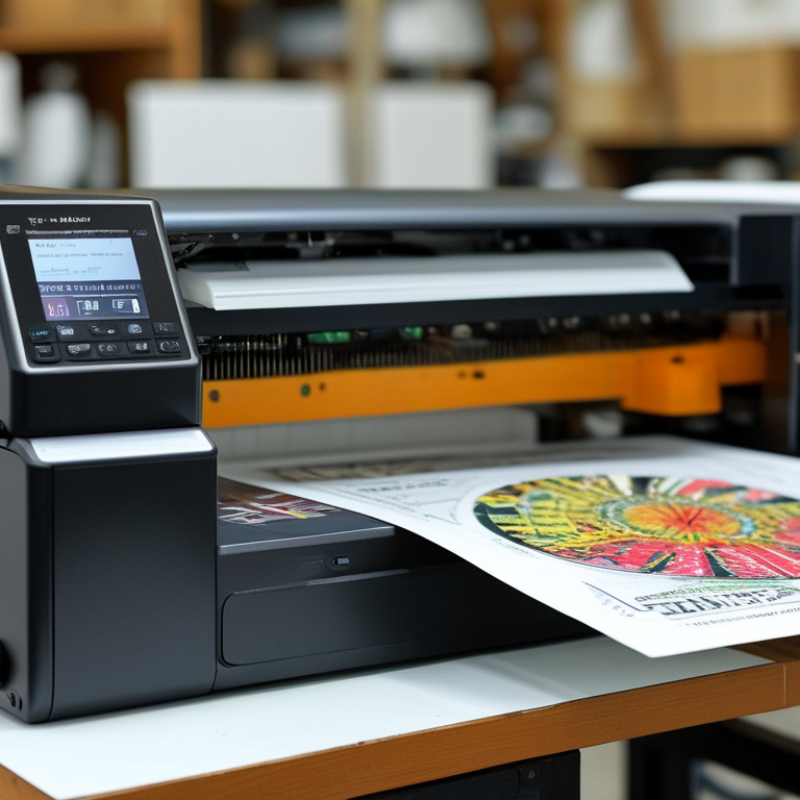
China Top 10 Scanning Inkjet Printers for Faster Production
What Are Scanning Inkjet Printers and How Do They Improve Production?
Scanning inkjet printers create images by moving a printhead across the material. The head deposits tiny ink droplets in controlled passes. Unlike fixed-array systems, they suit varied widths, short runs, and changing artwork. Operators can print labels, packaging samples, signs, and customized graphics without making printing plates.
Their main production advantage is flexible setup. Digital files move directly into the print workflow, reducing prepress delays and material waste. A job change may take minutes instead of requiring lengthy mechanical adjustments. Variable text, serial numbers, and small design changes are also easier to manage. This helps manufacturers respond to smaller orders without holding excessive inventory.
Still, scanning systems are not a universal shortcut. Print speed depends on resolution, pass count, drying time, and material absorption. A high-resolution setting can produce beautiful detail but slow the line noticeably. Dusty surfaces or uneven feeding may create visible banding. Careful calibration matters. Regular nozzle checks, stable media handling, and practical color control support reliable output.
The human factor remains important. Experienced operators watch the first sheets closely, especially when ink density or drying behavior changes. A printer can be technically advanced yet underperform with poor workflow planning. That is an easy point to overlook.
China’s top scanning inkjet printers should be compared by real production needs, not catalog speed alone. In factory evaluations, print width and scanning distance often affect output more than advertised resolution. A printer handling 1.8-meter panels may need slower passes to keep text sharp near the edges. Measure usable speed with your actual files and materials.
Ink control is another critical feature. Compare droplet size, color consistency, drying time, and ink consumption per square meter. On coated boards, excessive ink can create pooling around fine letters. On porous materials, weak saturation may make colors look faded. Adjustable curing and accurate media detection reduce these problems. They also help operators waste fewer sheets during setup.
Software should support variable data, file previews, color management, and production tracking. A clear interface matters when workers change jobs several times each hour. Check cleaning access, nozzle monitoring, spare-part availability, and response times from technical support. Safety documentation and compliance records should be easy to verify. Do not rely on a single showroom demonstration. Request sample tests with your files, including small text, solid blocks, gradients, and long continuous runs. A faster mode may look impressive but produce banding after several hours. That trade-off deserves honest review.
Key Features to Compare in China’s Top Scanning Inkjet Printers
This representative industry benchmark compares anonymous scanning inkjet printer profiles by maximum production speed and native print resolution. Higher speed supports faster production, while higher resolution improves fine text, barcode, and image quality. Actual performance depends on ink type, substrate, coverage, and production settings.
Chinese scanning inkjet printers are attracting factories that need flexible, high-speed production without fixed plates. Their scanning printheads move across sheets, boards, or short-run packaging materials. This design supports variable data, frequent artwork changes, and smaller production batches.
Smithers’ 2024 forecast expects the global inkjet printing market to exceed US$100 billion before 2030. Packaging and commercial applications remain major growth areas. Chinese equipment makers now offer scanning systems with production speeds commonly ranging from 30 to 150 metres per minute, depending on substrate, resolution, and ink coverage. Some systems support resolutions above 600 dpi. That sounds impressive.
In real production, advertised speed is not the whole story. Operators should measure drying time, colour stability, nozzle recovery, and media loading delays. A 2024 drupa Global Trends report found that print businesses continue prioritising automation and shorter delivery cycles. Chinese scanning inkjet printers often include automated registration, white-ink circulation, and cloud-based monitoring. These features can reduce manual checks beside the press. However, maintenance routines still matter. Dust on a printhead can create a visible stripe within minutes. I would test at the intended resolution, ink density, and shift length before purchasing. A slower stable run may outperform a faster unstable one.
Choosing a scanning inkjet printer starts with the workflow, not the advertised print speed. Observe your daily materials, line width, and production rhythm. A machine that handles cardboard well may struggle with coated film.
Measure your real output during a short production trial. Print a sample batch with changing text, barcodes, and simple graphics. Check readability under normal factory lighting. Small details matter. A reliable system should maintain consistent placement across uneven surfaces. Ask about ink adhesion, drying time, printhead maintenance, and recovery after stoppages. These details often affect output more than resolution figures.
Consider how operators will use the printer each day. A clear interface reduces training time and prevents avoidable setup errors. Confirm compatibility with your current conveyor, sensors, software, and data systems. Integration problems can quietly consume hours. Calculate ink usage, cleaning needs, spare parts, and service response time before choosing. The lowest purchase price is not always the lowest operating cost.
Do not ignore the workspace. Dust, vibration, humidity, and temperature can influence print quality. In one practical evaluation, a slower setting produced sharper codes and fewer rejects. That result was inconvenient, but useful. It showed that maximum speed was not the best target. Leave room for testing, because your first selection may need adjustment after real production begins.
| Rank | Printer Profile | Recommended Workflow | Typical Print Speed | Maximum Print Width | Typical Resolution | Ink Configuration | Compatible Substrates | Curing or Drying | Key Selection Advantage |
|---|---|---|---|---|---|---|---|---|---|
| 1 | High-Output Roll-to-Roll Profile | Continuous signage, banners, wallpaper, and flexible media | 40–80 m²/h | 1.6–3.2 m | 600–1,200 dpi | Water-based or mild-solvent, 4–8 colors | PVC banner, coated paper, self-adhesive film, wallpaper | Heated air or infrared drying | Best for continuous volume |
| 2 | UV Flatbed Production Profile | Rigid-board signage, displays, packaging samples, and panels | 25–60 m²/h | 1.25–2.5 m | 600–1,440 dpi | UV-curable, 4–8 colors plus optional white | Foam board, acrylic, PVC sheet, aluminum composite, glass | UV LED curing | Direct-to-board printing |
| 3 | Hybrid Flatbed and Roll Profile | Mixed jobs requiring both rigid and flexible media | 20–50 m²/h | 1.6–2.5 m | 600–1,200 dpi | UV-curable, CMYK with optional white and varnish | Boards, films, canvas, banner, coated paper | UV LED curing | Most versatile format |
| 4 | Textile Transfer Profile | Dye-sublimation transfer for sportswear and soft signage | 30–70 m²/h | 1.6–3.2 m | 600–1,200 dpi | Dye-sublimation transfer ink, typically 4–8 colors | Transfer paper, polyester fabric, coated textile media | Heat transfer at approximately 180–210°C | Strong color penetration |
| 5 | Water-Based Photo and Poster Profile | Indoor posters, photographic output, art reproduction, and proofing | 12–35 m²/h | 0.6–1.6 m | 1,200–2,400 dpi | Water-based pigment or dye, 6–12 colors | Photo paper, fine-art paper, coated poster paper, canvas | Ambient or low-temperature air drying | High image detail |
| 6 | Eco-Solvent Signage Profile | Outdoor graphics, vehicle graphics, decals, and retail signs | 15–45 m²/h | 1.3–1.8 m | 600–1,440 dpi | Eco-solvent, 4–8 colors | Vinyl, self-adhesive film, banner, coated outdoor media | Integrated heater and forced-air drying | Balanced durability and cost |
| 7 | White-Ink Specialty Profile | Dark media, transparent films, layered graphics, and decorative work | 10–30 m²/h | 1.3–2.5 m | 600–1,200 dpi | UV-curable with white ink and optional clear varnish | Transparent film, colored board, acrylic, glass, metal sheet | UV LED curing | Supports white underlay and overprint |
| 8 | Compact Short-Run Profile | Small signage shops, prototypes, samples, and customized orders | 8–25 m²/h | 0.6–1.3 m | 600–1,440 dpi | UV-curable or water-based, 4–8 colors | Small boards, paper, films, canvas, specialty sheets | UV LED or air drying, depending on ink type | Lower space requirement |
| 9 | Corrugated and Board Packaging Profile | Short-run cartons, corrugated sheets, displays, and packaging mockups | 20–50 m²/h | 1.2–2.5 m | 600–1,200 dpi | Water-based pigment or UV-curable, 4–8 colors | Corrugated board, kraft board, coated paperboard, foam board | Air drying or UV LED curing | Suitable for variable short runs |
| 10 | High-Detail Industrial Sample Profile | Product samples, labels, decorative panels, and quality inspection proofs | 5–20 m²/h | 0.6–1.6 m | 1,200–2,400 dpi | Pigment, dye, or UV-curable, 6–12 colors | Paper, film, coated board, synthetic sheets, specialty media | Ink-dependent air, heat, or UV drying | Prioritizes color and fine detail |
A scanning inkjet printer needs a rigid, level floor before production begins. Small errors spread. Check vibration, grounding, ventilation, and clearance around service panels. Maintain the ink supplier’s recommended temperature and humidity range, usually near 20–25°C and 40–60% relative humidity. Confirm nozzle alignment with a test chart before loading valuable material. Smithers’ digital printing research identifies reliability and productivity as major growth drivers through 2028, making installation discipline commercially important.
Maintenance should follow operating hours, not only calendar dates. Inspect wipers, filters, ink lines, and capping stations during every scheduled service. Record nozzle loss, cleaning cycles, ink consumption, and error codes in one log. The U.S. Department of Energy reports that predictive maintenance can reduce downtime by 35–45% and lower maintenance costs by 25–30%. Those figures are useful targets, not promises. A neglected log can hide gradual printhead damage.
Operate at a stable speed after warming up the system. Run a short calibration sheet when changing substrate, ink batch, or ambient conditions. Excessive purging wastes ink and may mask an alignment problem. Clean carefully. Aggressive wiping can damage delicate surfaces. In my experience, operators often chase speed before confirming image quality. That choice needs reconsideration. A slower first batch, checked under strong side lighting, can prevent hours of rework and protect production consistency.
: Compare usable speed, print width, scanning distance, ink control, software, and maintenance access. Catalog speed can mislead. Test actual files on actual materials.
Run a short batch with small text, changing data, barcodes, and solid graphics. Measure readable output, rejected sheets, and drying time. A slower setting may perform better.
Wide panels may require slower passes near the edges. This helps preserve sharp text and consistent placement. Check quality across the full 1.8-meter width, not only the center.
Review droplet size, color consistency, drying time, adhesion, and ink use per square meter. Coated boards may show ink pooling around fine letters. Porous materials may look faded.
Use adjustable curing and accurate material detection. Run a calibration sheet after changing materials or ink batches. Do not over-clean automatically. It wastes ink.
Look for variable data, file previews, color management, and production tracking. Confirm compatibility with conveyors, sensors, software, and data systems. Small integration gaps can consume hours.
Use a rigid, level floor with suitable grounding and ventilation. Control dust, vibration, temperature, and humidity. A practical range is about 20–25°C and 40–60% relative humidity.
Schedule maintenance by operating hours, not only calendar dates. Inspect wipers, filters, ink lines, and capping stations. Record nozzle loss, cleaning cycles, ink use, and error codes.
Request sample tests using real production files and materials. Check long runs, gradients, small text, and continuous solid areas. Review spare-part access, safety records, and technical response times. The first choice may still need adjustment.
Scanning inkjet printers use a moving printhead to apply variable data, text, barcodes, and images across many products or materials. They can improve production by supporting fast, non-contact printing, flexible job changes, accurate registration, and reduced setup time. When comparing China’s top scanning inkjet printers, manufacturers should evaluate print resolution, scan width, printing speed, ink compatibility, drying performance, software integration, material support, operating costs, and system stability. A practical review of ten leading types can help businesses identify solutions for packaging, labels, industrial marking, and other high-throughput applications.
To choose the right printer, match its performance with your workflow, substrate, production volume, and required print quality. Consider How to increase the production speed of scanning inkjet printers through optimized file preparation, suitable print modes, efficient material handling, stable ink supply, and proper operator training. Correct installation, regular printhead cleaning, timely maintenance, controlled environmental conditions, and routine calibration can further improve reliability, reduce downtime, and extend equipment life.

DD-Tech Print